

Most executive and administrative assistants can tell you, in detail, everything they got done this week. Ask them to prove the value of that work in a way their executive or their organization would recognize, and the conversation gets a lot shakier. That gap is exactly why KPIs for executive assistants matter, and why more executives are starting to ask their assistants to track them.
A key performance indicator, or KPI, is a specific measurement you track over time to gauge progress toward a goal. Companies use them constantly to evaluate strategic, financial, and operational performance across sales, marketing, customer service, and HR. For a sales team, a KPI is straightforward: increase monthly revenue by 10 percent in 90 days. For an assistant, it takes more thought, because so much of the role’s value is relational and judgment-based rather than transactional. That doesn’t mean it can’t be measured. It means you have to be more intentional about choosing what to measure, and specific about how you’ll collect the data.
I’ve spent years helping assistants build competency assessments and career development plans, using parts of Office Dynamics’ own assessment tools, the same ones we use for pre- and post-training evaluations and one-on-one coaching. The assistants who advance fastest are almost always the ones who can point to specific, tracked evidence of their growth. Not vague confidence that they’re doing a good job. Actual numbers and patterns they’ve watched change over time.
Why Assistants Should Track KPIs, Even If No One Asks Them To
Tracking KPIs gives you an honest picture of where you’re strong and where you’re not, instead of relying on gut feeling or the last piece of feedback you happened to get. When you set a specific, measurable goal and check your progress against it regularly, you stop guessing about your own performance and start managing it.
This matters even if your executive never mentions the word KPI. Assistants who wait for someone else to define their value are handing that job to people who are too busy to do it well. Your manager sees a fraction of what you handle in a day. A tracked KPI turns invisible work- the meeting that never got moved, the crisis that never became a crisis- into something you can actually point to. That evidence is also what builds a real career portfolio, the kind that supports a case for a title change, a salary increase, or a move into a more strategic role.
It’s worth naming directly: AI tools can now draft the email, summarize the meeting, and process the data in seconds. That doesn’t make these KPIs less relevant. It makes them more so. When the routine parts of the job speed up, what actually sets an assistant apart is the judgment, the anticipation, and the relationship work that AI can’t replicate. Tracking KPIs is how you prove you’re operating at that level, not just keeping pace with the tools around you.
The KPIs That Match Your Actual Responsibilities
The clearest way to think about KPIs for this role isn’t by abstract category. It’s by the responsibilities you already carry every day. Below are five areas nearly every assistant will recognize, along with the KPIs that fit each one and specific ways to start measuring them.
Leader Support
Leader support is about making the executive’s day run smoothly, largely through work nobody sees. It’s proactive communication and organization, catching a need before it’s voiced, solving a problem before it lands on your executive’s desk.
KPIs to track:
- Initiative and Proactivity: Measured by how often you implement a new system or anticipate a need before being asked.
- Meeting Preparedness: The percentage of meetings where materials and the agenda are ready and distributed ahead of time.
- Support Skills: Judged by your executive’s direct feedback, meeting readiness, and overall satisfaction with the support you provide.
- Task completion: The number of tasks completed, deadline adherence, and the quality and accuracy of your work.
How to measure them:
- Keep a running log of moments where anticipating a need saved time or headed off a problem. A shared document or project tracker works fine for this.
- Build a simple meeting readiness score. Are the documents complete? Is the agenda clear? Are participants prepared? Score it after each meeting and watch the trend.
- Ask for feedback directly, through a short survey or a regular check-in with your executive about responsiveness and problem-solving, rather than waiting for it to surface at an annual review.
- Track completed tasks against deadlines in a task list or project tool, and periodically review a sample of your own work for accuracy.
Meeting Preparation and Implementation
Getting a meeting onto the calendar is the easy part. The real measure is whether it happens the way it needs to: the right people, the right details, and the right follow-through.
KPIs to track:
- Meeting Scheduling Accuracy: The percentage of meetings booked correctly, with the right details and invitations sent on time.
- Efficiency: Covering resource use, budget adherence, and whether deadlines get met without sacrificing quality.
- Problem-solving: How many issues get resolved and how well you prevent the same ones from recurring.
How to measure them:
- Use your calendar tool’s analytics to catch double bookings or missing participants before they become a pattern.
- Track how long meeting-related tasks take against a benchmark you set for yourself, including any time saved by using AI tools for drafting or summarizing, then look for where the process can be tightened.
- Keep a simple log of meeting-related issues and how you resolved them. Review it periodically to catch patterns worth fixing at the root.
Appointment Coordination
Coordinating appointments is strategic work wearing the disguise of scheduling. It means weighing travel time, prep time, and how much each engagement is actually worth before it goes on the calendar.
KPIs to track:
- Time Management: How well you prioritize and protect punctuality when competing demands land at once. See our full guide to time management examples and advice for more ways to strengthen this one.
- Organization: How efficiently you manage documents, maintain schedules, and keep the filing system usable.
- Response Time: The average time it takes you to respond to a request or inquiry.
How to measure them:
- Check in with your executive periodically on whether your prioritization matches their actual priorities, and adjust based on what you hear.
- Run a quick audit of your filing and scheduling systems now and then. Can you find what you need in under a minute? Are appointments falling through the cracks?
- Track your average response time to requests and set a target for improvement.
Office Communication
How you communicate, and how accurately information moves through you, shapes how the whole office runs.
KPIs to track:
- Communication Skills: The quality, speed, and professionalism of your emails, calls, and meeting follow-ups.
- Data Accuracy: How much of what you enter into shared systems stays correct and current.
- Internal Satisfaction: Whether the colleagues and departments who depend on you report feeling well supported.
- Relationship Management: Rated by feedback from colleagues and clients, how well you handle conflict, and overall satisfaction scores.
How to measure them:
- Ask a colleague to review a sample of your emails or reports periodically for clarity and tone. A second set of eyes catches what you stop noticing in your own writing.
- Run periodic checks on data you’ve entered into shared systems to catch drift before it becomes a bigger problem.
- Send a short satisfaction survey to the people you support most, and track whether the responses improve over time.
- Gather periodic feedback from colleagues and stakeholders you work with regularly, and note how conflicts get resolved when they come up.
Teamwork
Assistants rarely work in true isolation, even when the job feels like a one-person operation. Teamwork KPIs capture how well you contribute to something bigger than your own task list.
KPIs to track:
- Collaboration: How many cross-functional projects you help bring across the finish line.
- Management and Leadership, for those in supervisory roles, measured by team productivity, feedback from your team, and whether departmental goals get hit.
- Process Improvement: How many workflows you’ve actually streamlined in a given period.
- Strategic Planning and Implementation: Assessed by how effectively bigger initiatives get carried out and their impact on productivity and business success.
How to measure them:
- Track your contributions to team projects in whatever project management tool your team already uses.
- If you lead others, set specific goals for the team and gather feedback from more than one direction, not just your own read on how things are going.
- Document every process you improve, including what changed and what it saved, in time, cost, or aggravation.
- Document the initiatives you help implement, and track their measurable impact on productivity or outcomes after rollout.
How to Start Tracking Without Overcomplicating It
Pick two or three KPIs to start, not ten. Trying to track everything across all five areas at once usually means you track nothing well. Choose the ones where you already suspect there’s room to grow, or the ones your executive has mentioned, directly or indirectly, as a priority.
If none of the KPIs above quite fit your specific role, build your own. Every assistant position is a little different. Keep the number reasonable, set goals on different timelines (some monthly, some quarterly, some annual), and make sure whatever you choose can actually be observed or measured. Once you’ve set a KPI, write down the specific steps you’ll take to hit it. That’s your formula for getting there, not just hoping you will.
Then check in on a fixed schedule, weekly or monthly, and write down what you find. The writing down part matters more than people expect. A KPI you track in your head is a KPI you’ll forget the moment things get busy. Review your KPIs before every performance conversation, whether that’s a formal review or a casual check-in with your executive. Assistants who show up with specifics change the nature of that conversation entirely.
KPIs aren’t about turning your job into a spreadsheet. They’re about taking control of the story your work tells, instead of leaving it to whoever happens to notice what you did that week.
Key Takeaways
Tracking KPIs gives executive and administrative assistants a way to measure real progress instead of relying on impressions, and it works whether or not your executive has asked you to do it. The clearest way to organize KPIs is around the responsibilities you already carry: leader support, meeting preparation, appointment coordination, office communication, and teamwork, each with its own named KPIs and specific ways to collect the data. Starting small, with two or three KPIs tracked consistently, builds a habit that a long, complicated list never will. Over time, that tracked data becomes the evidence behind performance reviews, promotion conversations, and a stronger professional portfolio.
Frequently Asked Questions
What is a KPI for an executive assistant?
A KPI for an executive assistant is a specific, measurable indicator used to track progress in the role, such as email response time, meeting preparedness, or scheduling accuracy. Unlike a general goal, a KPI ties directly to a number you can check on a regular basis.
How many KPIs should an assistant track at once?
Two to three KPIs is a realistic starting point. Trying to track everything across all your responsibilities at once usually means none of them get the consistent attention needed to produce useful data. Once a KPI becomes a habit, you can add another.
Do KPIs for assistants need to be assigned by an executive?
No. While some executives ask their assistants to track KPIs directly, assistants benefit from setting their own even without that request. Self-directed KPIs give you a clear, evidence-based way to manage your own growth and prepare for performance conversations.
What’s the difference between a competency and a KPI?
A competency is a broader skill or behavior, like initiative or communication, that describes what strong performance looks like. A KPI is the specific, trackable measurement that shows whether you’re actually demonstrating that competency, such as meeting readiness scores or response time.
Can KPIs help with a promotion case?
Yes. Tracked KPIs turn vague claims about strong performance into evidence. Showing a documented pattern of improvement, fewer scheduling conflicts, faster response times, more streamlined processes, gives a manager something concrete to point to when advocating for a title change or salary increase.
Does AI change which KPIs matter for assistants?
AI tools have sped up routine tasks like drafting emails and summarizing meetings, but that makes KPIs around judgment, initiative, and relationship management more important, not less. The KPIs that are hardest for AI to replicate, like proactivity, problem-solving, and executive support, are the ones worth prioritizing as tools continue to change.
Making KPIs Part of How You Work
KPIs aren’t about turning your job into a spreadsheet. They’re about taking control of the story your work tells, instead of leaving it to whoever happens to notice what you did that week. Start with two or three that match your actual responsibilities, track them honestly, and let the data build the case for you.
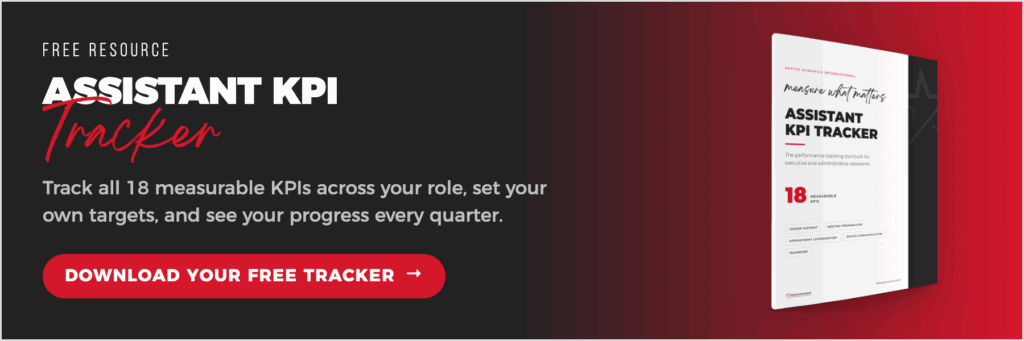
If you want a head start, download our KPI tracker template below and begin tracking your own performance today.