
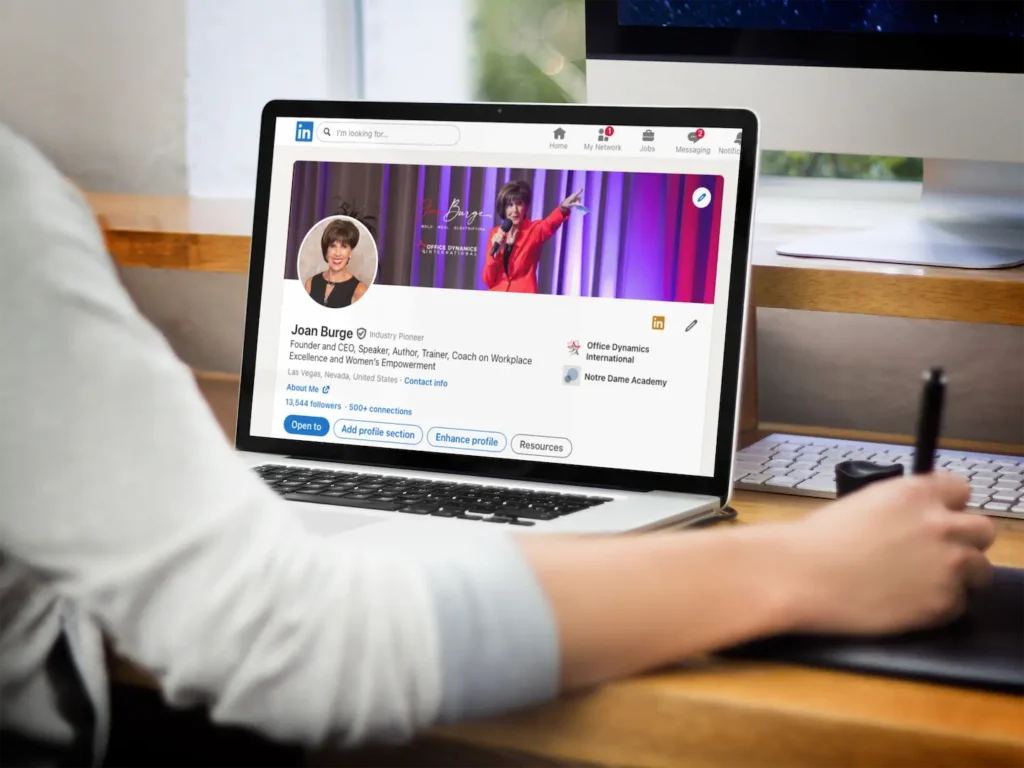
How to Optimize Your LinkedIn Profile to Boost Visibility and Career Growth
Why LinkedIn Matters for Administrative and Executive Assistants
Your digital impression is often the first chance you get to set the right tone and to begin a professional relationship on the right foot. While your professional digital impression likely spans multiple platforms, for many, LinkedIn is the foremost platform for connecting and building business relationships, expanding your network, and demonstrating your professional acumen and polish.
For administrative and executive assistants, your LinkedIn profile is a dynamic portfolio that showcases your skills, accomplishments, and professional brand. A well-crafted profile can attract recruiters, expand your network, and open doors to career advancement opportunities you might not have known existed. That’s a powerful platform!
Throughout the years, we’ve noticed that many administrative professionals possess a wealth of talent and experience that isn’t fully captured on your LinkedIn page. You excel at managing complex projects, orchestrating events, and acting as the central hub for their executives, yet assistant profiles often use generic language that undersells your true value.
This blog provides actionable LinkedIn profile tips for assistants. We’ll explore how to transform your profile from a simple career summary into a powerful tool that will highlight your strategic importance and position you as an indispensable professional.
How to Write a Compelling LinkedIn Headline
Your headline is the most visible part of your profile, appearing next to your name in search results, connection requests, and posts. It’s your 220-character elevator pitch. A common mistake is simply using a job title like “Executive Assistant.” While technically accurate, it doesn’t capture the scope of your contributions or your unique value proposition.
Your LinkedIn headline is a powerful piece of real estate.
To create a stellar headline, think well beyond your title. What makes you exceptional in your role? What are your areas of expertise? Combine your title with key skills or accomplishments to create a narrative.
Headline Formulas to Try:
- [Your Title] | [Key Skill #1] | [Key Skill #2] | [Specialty]
Example: Executive Assistant | Strategic Planning & Project Management | C-Suite Support
- [Your Title] Supporting [Executive Level or Department] | [Key Area of Impact]
Example: Senior Administrative Assistant supporting the VP of Sales | Driving Team Efficiency and Process Improvement
- [Adjective] Administrative Professional | [Core Competency] & [Core Competency]
Example: Proactive Administrative Professional | Expert in Global Travel Coordination & Event Logistics
A compelling headline immediately tells viewers who you are and what you do, making them more likely to click on your profile to learn more. Think of the headline as your hook. You want to catch your audience and make them eager to learn more about you.
Strengthen Your Brand. Advance Your Career.
Become World Class.
If this blog inspires you to enhance your LinkedIn presence, imagine what would happen when you elevate your entire professional brand.
In the World Class Assistant® course you’ll go deeper and discover how to communicate with presence, lead with confidence, and build a career that reflects your true capabilities.
It’s perfect for you if you’re an assistant who wants to strengthen your brand, increase your influence, and grow into a strategic role.
How to Create a Strong LinkedIn About Summary
The “About” section is your chance to tell your professional story. This is where you can go beyond bullet points and connect with the reader on a personal and professional level. A strong summary should be written in the first person (“I”) to feel more authentic and direct. It should articulate your passion for your work, your core strengths, and the value you bring to an organization.
Structure for an Effective “About” Section:
- Opening Hook: Start with a powerful statement that summarizes your professional identity and what drives you.
- Example: “I am a dedicated Executive Assistant with over a decade of experience partnering with C-level executives to optimize productivity and streamline operations. I thrive on creating order out of chaos and ensuring my executive can focus on strategic priorities.”
- Highlight Key Skills and Expertise: Detail 2-3 of your most valuable skills. Instead of just listing them, describe how you use them.
- Example: “My expertise lies in complex calendar management across multiple time zones, detailed international travel planning, and confidential project coordination. I am proficient in Microsoft 365, Google Workspace, and various project management tools like Asana and Trello.”
- Showcase Achievements with Metrics: Quantify your accomplishments whenever possible. Numbers provide concrete evidence of your impact.
- Example: “In my previous role, I successfully managed the logistics for our 200-person annual sales conference, coming in 10% under budget. I also implemented a new digital filing system that reduced document retrieval time by 40% for our entire department.”
- Describe Your Working Style and Values: What kind of professional are you? Are you proactive, discreet, a natural problem-solver? This helps potential employers understand your cultural fit.
- Example: “I am known for my unwavering discretion, proactive approach to problem-solving, and ability to remain calm under pressure. I believe that a strong partnership between an assistant and an executive is built on trust, communication, and mutual respect.”
- Call to Action: End with a clear statement about what you’re looking for.
- Example: “I am always open to connecting with fellow administrative professionals and leaders. Please feel free to send a connection request.”
How to Optimize Your LinkedIn Experience Section
The “Experience” section is where you detail your work history. Instead of just copying and pasting your resume, use this space to tell a story about your growth and accomplishments in each role. For each position, focus on achievements rather than just listing daily duties. In other words, focus on your outputs, not inputs.
Use the STAR method (Situation, Task, Action, Result) to frame your bullet points. This structure provides context and demonstrates the impact of your work.
- Instead of: “Managed calendars and scheduled meetings.”
- Try: “Orchestrated complex schedules for three C-suite executives across five time zones, resulting in a 99% on-time meeting start rate and improved cross-departmental collaboration.”
- Instead of: “Planned company events.”
- Try: “Led the end-to-end planning and execution of the annual 3-day leadership offsite for 50 attendees, managing a $75,000 budget and negotiating with vendors to save the company $5,000.”
Tips for Your Experience Section:
- Use strong action verbs (e.g., Coordinated, Directed, Implemented, Streamlined, Negotiated.)
- Include 3-5 powerful bullet points for each role.
- Add relevant media, like links to projects you supported or photos from events you organized (with company permission.)
Skills Every Assistant Should Feature on LinkedIn
The “Skills” section of your profile is crucial for getting discovered through LinkedIn searches. Recruiters often search for candidates based on specific skills. You can list up to 50 skills, so be comprehensive!
Categorize Your Skills:
- Technical Skills: List the software and tools you’re proficient in (e.g., Microsoft Office Suite, Google Workspace, Slack, Asana, Concur, Salesforce). Be specific.
- Core Administrative Skills: Include foundational abilities (e.g., Calendar Management, Travel Coordination, Event Planning, Expense Reporting, Office Management).
- Soft Skills: These are critical for assistants (e.g., Communication, Problem-Solving, Time Management, Discretion, Emotional Intelligence, Proactiveness).
Once you’ve added your skills, you can pin your top three. Choose the three skills that are most important to your career goals and best represent your expertise.
How to Get More LinkedIn Endorsements (and Why They Matter)
Endorsements on LinkedIn are a powerful way to showcase and validate your professional skills to potential employers, colleagues, and industry peers. They are essentially votes of confidence from your network, where individuals vouch for specific skills listed on your profile. When someone endorses a skill, it boosts the visibility of that skill on your profile and signals to others that you genuinely excel in that area.
The value of endorsements lies in their ability to build credibility, as they act as social proof of your expertise, reinforcing your professional brand and strengthening your profile during career advancement opportunities or organizational changes.
Endorsements from your connections add social proof to your skill set. You can increase your chances of receiving them by:
- Having a complete and detailed skills section.
- Keeping your profile updated and active.
- Ensuring your skills section is up-to-date and relevant.
- Being proactive by endorsing others to encourage reciprocity.
- Reaching out to colleagues, supervisors, or clients within your network who can authentically attest to your abilities.
Pro Tip: Actively engage on LinkedIn by sharing content, commenting on posts, contributing to industry discussions, and networking with professionals in your field. This visibility can inspire others to endorse you.
Tips for a Professional LinkedIn Photo and Banner
Your profile photo is your digital handshake. Here’s the blunt truth: Profiles with a professional photo receive significantly more views and connection requests.
- Choose a high-resolution headshot: Your face should be clearly visible.
- Smile and look approachable: A warm, friendly expression invites connection.
- Dress professionally: Wear an outfit you would wear to work.
- Use a neutral background: Avoid distracting backgrounds that take the focus away from you.
Your LinkedIn banner is prime real estate that is often underutilized. Instead of using the default blue banner, create a custom one that reflects
your personal brand.
- Use a high-quality image related to your industry or role.
- Incorporate text, such as a favorite professional quote or your key areas of expertise.
- Tools like Canva offer free templates to easily create a professional-looking banner.
How to Engage on LinkedIn to Build Your Professional Brand
An optimized profile is only half the battle. To truly leverage LinkedIn, you must be an active participant. Remember, this is a community. Engaging with content demonstrates your expertise and keeps you top-of-mind within your network.
How to Engage Effectively:
- Share relevant articles: Share content related to the administrative profession, leadership, or your industry. Add your own thoughtful comment or question to start a conversation.
- Comment on others’ posts: Do not just “like” a post. Leave a meaningful comment that adds to the discussion. Congratulate connections on work anniversaries or new roles.
- Publish your own content: Consider writing short posts or articles about topics you are passionate about. You could share a productivity tip, a book review, or insights from a recent webinar.
- Join and participate in groups: Find LinkedIn Groups for administrative professionals. Participating in group discussions is a great way to network and learn from your peers.
Consistent engagement shows that you are passionate and knowledgeable. It helps you build relationships and establishes you as a thought leader in the administrative community.
Why You Should Update Your LinkedIn Profile Regularly
Your LinkedIn profile is not a static document you create once and forget. It is a dynamic representation of your professional journey and should evolve alongside your career. Think of it as your digital first impression, one that recruiters, employers, and industry peers see before they meet you in person.
Schedule time every quarter to review and update your profile with new skills you have gained, accomplishments you have achieved, projects you have completed, and experiences that showcase your growth and expertise. Even small updates can make a big difference in how your profile resonates with others.
By investing time in these LinkedIn profile tips for assistants, you are investing in your professional future. A well-maintained, engaging profile will set you apart in a competitive job market. Why? Because it is an active, powerful tool for career growth that reflects who you are and where you are heading.
Elevate your digital presence, unlock your potential, and connect with opportunities that align with your goals. Whether you are looking to advance in
your administrative career or branch into new areas, an optimized LinkedIn profile can open doors you did not even know existed.